
Choosing the right tools for a WordPress site can feel overwhelming. There are countless plugins and platforms promising better visibility, faster pages, and stronger results, yet many site owners are unsure which ones actually matter and how they fit together.
What often causes confusion is that improving a WordPress site is not about one single tool. It is about combining content, structure, performance, and data in a way that supports long-term growth without unnecessary complexity.
What are WordPress optimization tools
WordPress optimization tools are plugins and external platforms designed to improve how a site is structured, loaded, and understood by search engines and visitors. Some focus on content and page setup, while others handle technical performance or provide insights into how a site is performing.
At a basic level, these tools help site owners manage titles, descriptions, internal links, speed, indexing, and visibility. When used together correctly, they support clearer content, smoother user experience, and better discoverability.
Content and on-page optimization tools
Content and on-page tools focus on how individual pages are written, structured, and presented. They guide decisions around headings, internal links, and page clarity, which directly affect how pages are interpreted and ranked.
Key practices supported by these tools include:
- Writing clear page titles and descriptions
- Structuring content with logical headings
- Improving internal linking between related pages
- Identifying missing or weak page elements
For example, while writing a blog post, an on-page tool may highlight that a heading is unclear or that a key page is not linked internally. This allows improvements to be made during writing rather than after publishing.
Technical and performance tools
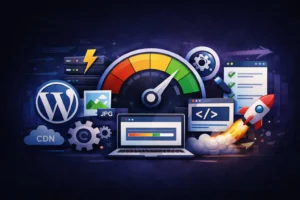
Technical and performance tools handle the behind-the-scenes aspects of a WordPress site. They focus on speed, crawling, indexing, and site health, which influence both user experience and long-term stability.
Common actions supported by these tools include:
- Caching pages for faster loading
- Compressing images and files
- Identifying broken links or duplicate pages
- Monitoring indexing and crawl errors
A practical example is a caching plugin that reduces load time by serving preloaded pages to visitors. Faster load times help reduce bounce rates and create a smoother browsing experience across devices.
Differences between content tools and technical tools
Content tools and technical tools serve different purposes, but neither replaces the other. One focuses on what visitors read and interact with, while the other ensures the site functions smoothly and efficiently.
A simple breakdown looks like this:
- Content tools guide writing, structure, and internal linking
- Technical tools manage speed, crawling, and site stability
- Both influence visibility and user experience in different ways
Relying on only one type creates gaps. Strong content without performance support can load slowly, while a fast site without clear structure can struggle to gain traction.
How these tools work together
This combination supports steady improvement rather than short-term fixes. Each tool reinforces the others, creating a site that grows stronger with consistent use. This balanced approach is commonly applied on WordPress sites managed by Godfrey Alarcon, where tools are selected based on actual site needs rather than trends.
A simple flow often looks like this:
- Content is written and structured clearly using on-page tools
- Pages are linked logically across the site
- Performance tools improve speed and stability
- Monitoring tools track indexing and visibility over time
This combination supports steady improvement rather than short-term fixes. Each tool reinforces the others, creating a site that grows stronger with consistent use.
Conclusion
Improving a WordPress site is not about installing as many tools as possible. It is about choosing tools that support content quality, technical health, and informed decision-making.
When content, performance, and data work together, a site becomes easier to manage and more resilient over time. The right tools simply make that process clearer and more efficient.